Grammar Correction
Clean up your writing with AI-powered grammar checking. Bearly analyzes your text and highlights issues with clear explanations and one-click fixes.
How It Works
Type /grammar in the chat to activate grammar correction mode:

Paste or type the text you want to check:
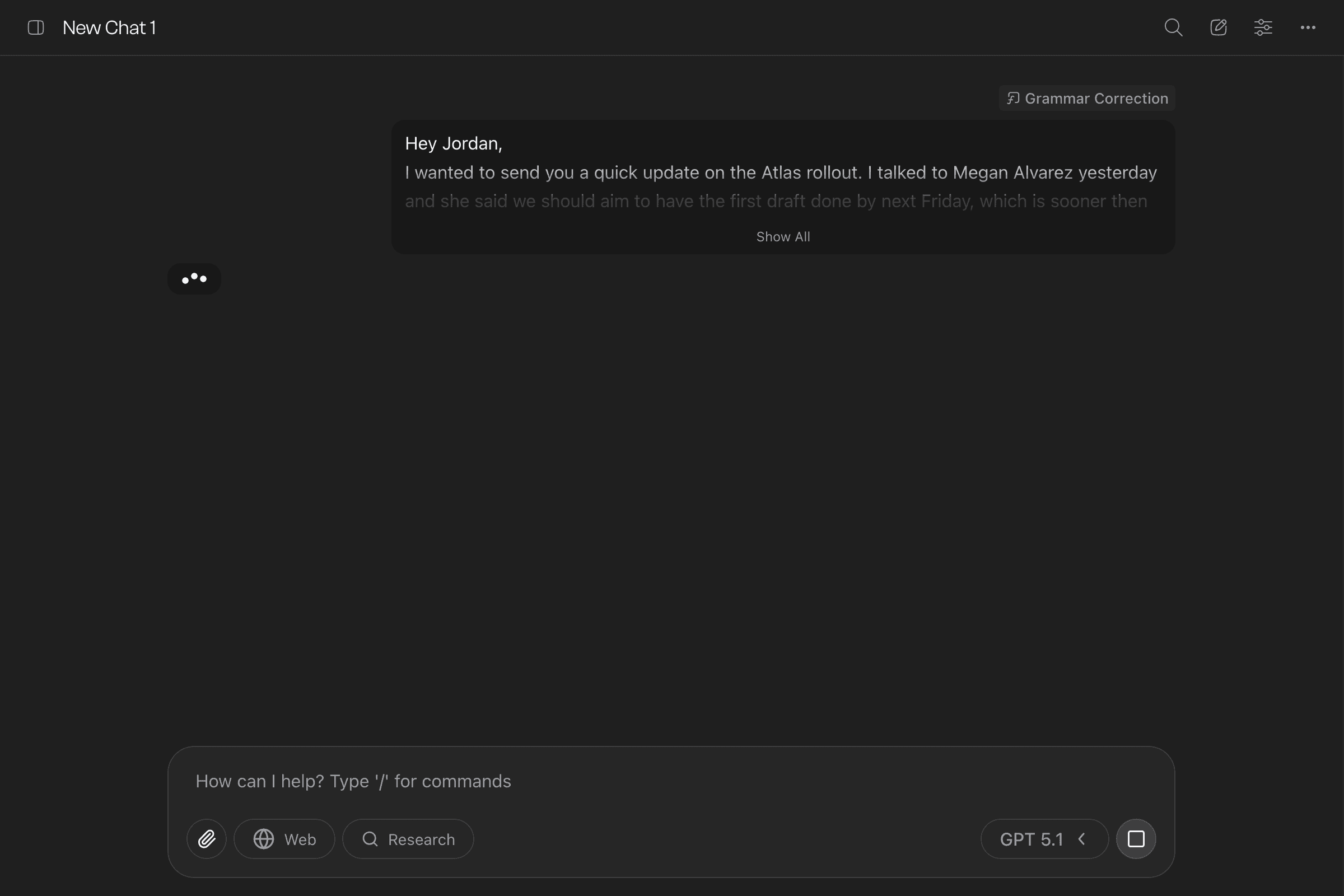
Bearly analyzes your text and highlights issues with colored underlines based on severity:
- Red wavy — Critical errors (spelling, major grammar mistakes)
- Orange wavy — Major issues (punctuation, agreement)
- Yellow wavy — Minor issues (style, word choice)
- Cyan dotted — Suggestions (optional improvements)
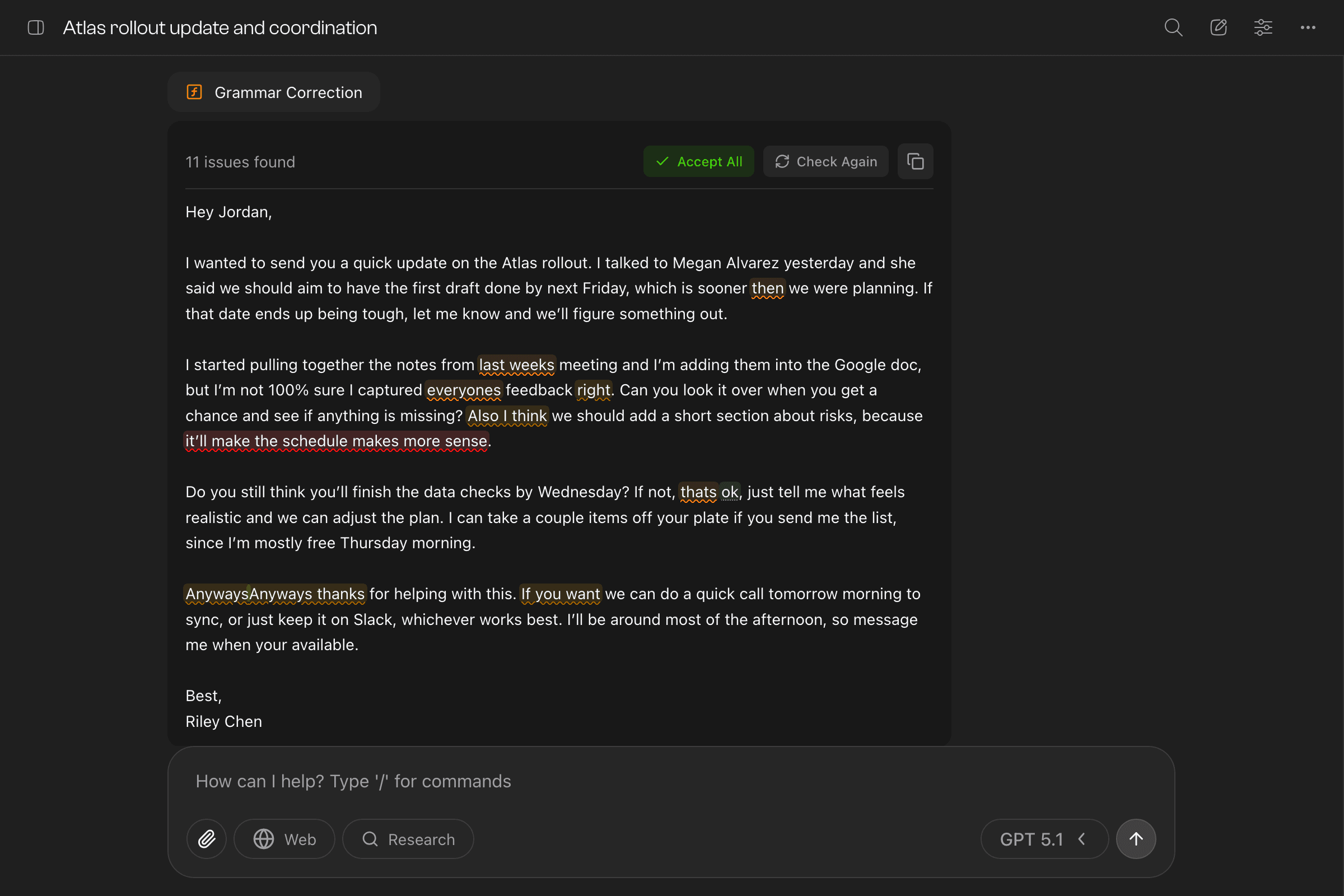
Click any highlighted word to see the explanation and suggested fix. Hit “Accept” to apply the correction.
Reviewing Suggestions
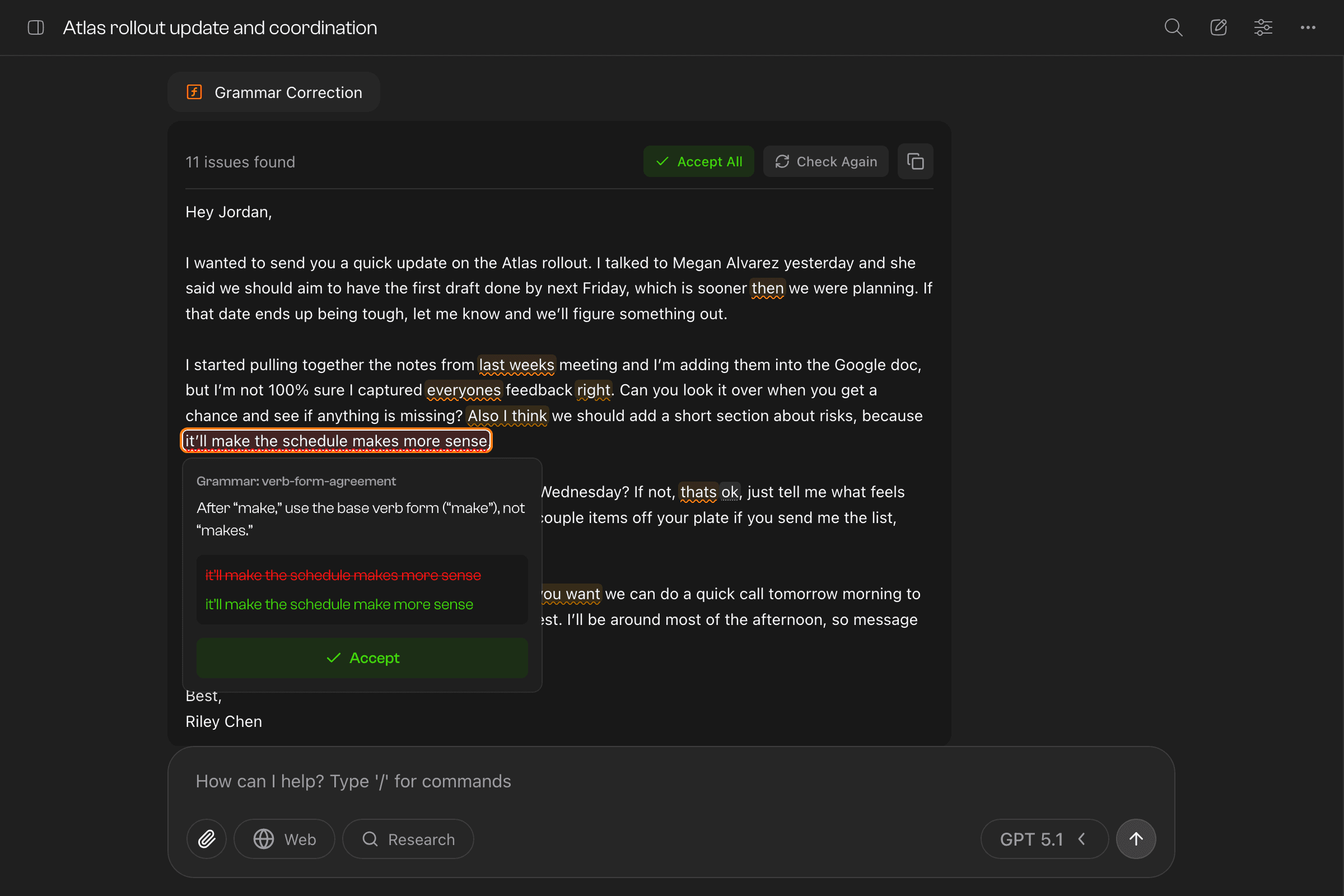
Each suggestion shows:
- Issue type — What kind of problem it is
- Explanation — Why it’s flagged
- Before/After — The original text crossed out and the suggested replacement
- Accept button — Apply the fix with one click
Toolbar Actions
The toolbar at the top gives you quick actions:
- Accept All — Apply all pending corrections at once
- Check Again — Re-analyze the text (useful after making manual edits)
- Copy — Copy the corrected text to your clipboard
Tips
- Paste entire paragraphs or documents for comprehensive checking
- Review each suggestion—AI catches most issues but context matters
- Use “Check Again” after accepting changes to catch any new issues
- Copy the final text when you’re happy with the corrections
Last updated on