A competitive analysis template that tracks changes weekly
Copy a competitive analysis template, run it once with live web, X and SEO data, then put it on a weekly Routine that alerts you only when something changed.

A competitive analysis is out of date almost as soon as it's done. Pricing pages change, someone ships the feature you were counting on, and the slide from last quarter is wrong. In Bearly you can run the analysis once with live web, X and SEO data, then turn the same instructions into a weekly Routine that compares each run with the last and alerts you only when something meaningful changed.
The template
Paste this into a chat and fill in the brackets:
Build a competitive analysis of [your company] against
[competitor 1], [competitor 2] and [competitor 3] in [market].

For each competitor, cover:
1. Positioning: who they sell to, and the one-line promise
   on their homepage.
2. Pricing and packaging: plans, prices, the free tier, and
   anything that changed recently.
3. Product: launches and notable features from the last 90
   days, with dates.
4. What customers say: recurring praise and complaints in
   public posts on X.
5. Search: keywords they rank for that we don't, and their
   strongest pages.

Finish with a comparison table, then the three things we
should do in the next 30 days. Link every claim to its source,
and say when you couldn't find something instead of guessing.
Each numbered section leans on a different tool. Bearly searches the web and reads the competitors' pages for the first three, reads public posts on X for the fourth, and pulls search data for the fifth. Start the message with /seo if you want to be sure it uses SEO Data. Attach your own positioning notes or a recent sales deck, and the "what we should do" part will work from what you actually sell rather than a guess.
To reuse the template, save it under Prompt Templates in the sidebar. Describe it and say which details change each time, and Bearly builds a short form for those details that you fill in before sending.
Put it on a schedule
The first run answers "where do we stand?" A weekly run should answer "what changed?" Open Routines, describe the job in a sentence, and select Draft routine. We typed:
Every Monday at 8 AM, check what changed at our three competitors, Carrowby, Ostlane, and Pelligrew, over the past week: pricing, new features and launches, and what customers are saying about them on X. Give me a short table of changes and flag anything we should respond to.
The three competitors are invented for this example. Bearly turned the sentence into a draft with a name, self-contained instructions, a model, and a weekly schedule with the next run time.
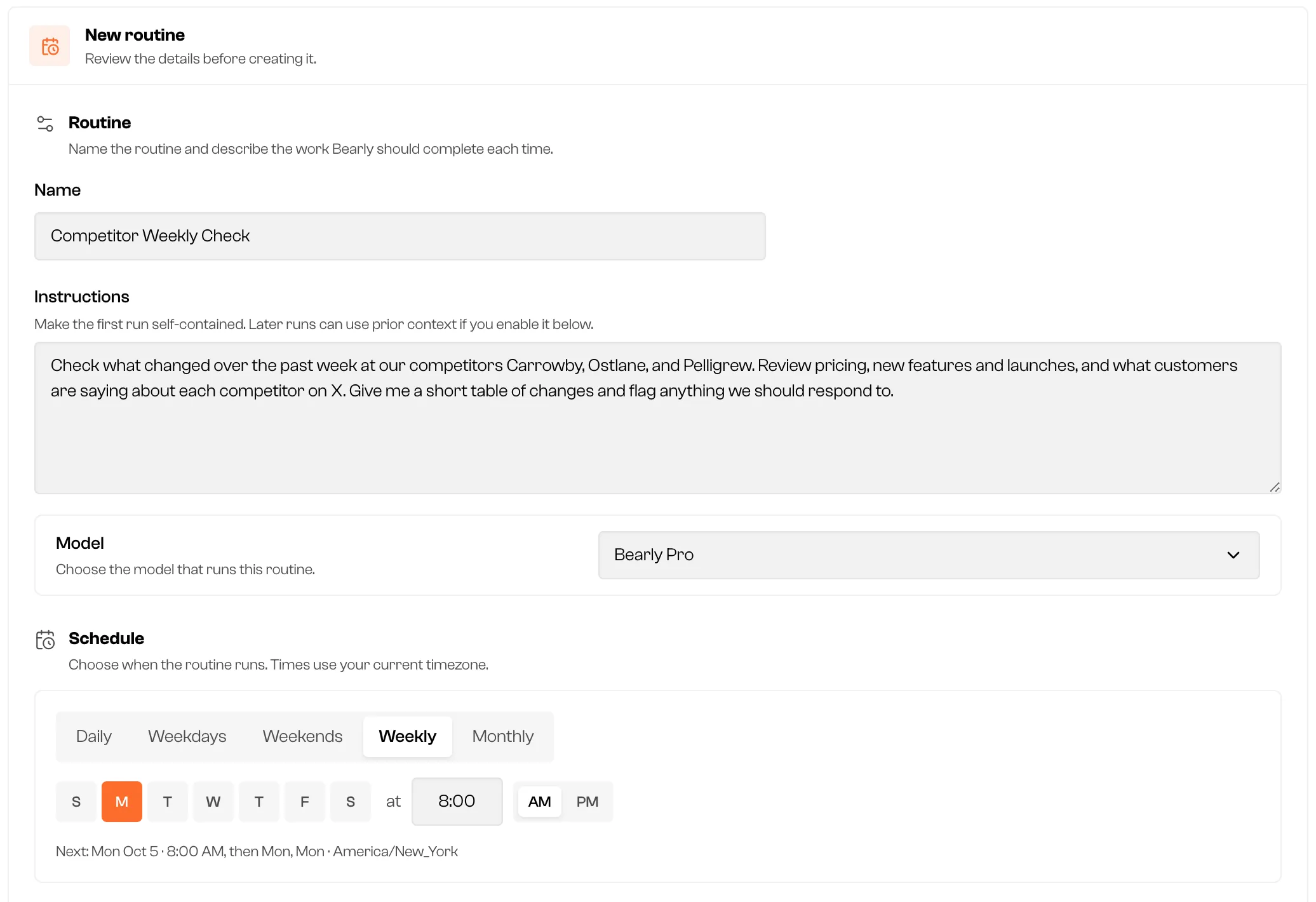
Two settings under Results and delivery turn a weekly report into a watch:
- Build on previous runs lets each run use the results of earlier runs, so it can report what changed since last week instead of describing everything again. It was on by default in our draft.
- Notification filter sets the bar for bothering you. We used "A competitor changes pricing or ships something new." Every run still lands in the routine's chat, but a run that doesn't meet the bar arrives without an unread badge, email or text. So that a quiet routine never looks like a broken one, it checks in anyway after every seventh quiet run in a row.
Turn on Email each result if you want the table in your inbox.
What the weekly run can use
Routines run in the Bearly desktop app, on the device you install them on, while the app is open. You can create one on the web and install it from the desktop app later.
Each run can search the web, read public posts on X, and use the files in the routine's chat, plus any connectors or skills you give it in the editor. SEO Data isn't available to scheduled runs, so keep the search section of the template for the hands-on pass, monthly or before a planning cycle.
A few limits:
- Pages behind a login, or ones that block automated visits, may not be readable. The template's last line asks Bearly to say so rather than fill the gap.
- X search sees public posts only.
- SEO figures are third-party estimates, not your analytics. The SEO Data guide explains how to read them.
- You can keep up to 10 active routines, with runs at least 30 minutes apart. Each run uses your plan allowance like any other chat.
The Routines guide covers the editor, delivery options and permissions in full.